logo and name

Overview

NotaNova is an app made with a focus on students. The idea was to create an app that with the use of AI captures, organizes and understands every academic facet of the student and fullfiles their studious needs, to allow for a practical and focused learning enviroment. 

Project Description

This branding is a part of the NotaNova UI/UX project. Presented bellow is a short branding book which includes the making of the logo, color pallate and fonts.

School Project 2025
UI/UX
Apps Used
adobe illustrator
figma

Research

Direct Competitors

  • Notion
  • RemNote
  • StudySmarter
  • OneNote
  • Mem.ai

Indirect Competitors

  • AI chatbots – ChatGPT, Claude, etc…
  • Google drive/docs
  • Otter.ai

S.W.O.T - Direct conpetitor Notion

Strengths

  • Very flexible workspace
  • Vast template system
  • Great for group sharing
  • Clean design and strong integrations

Weaknesses

  • High learning curve to use
  • Too flexible = decision fatigue
  • No student-specific features
  • AI feels screwed up, not deeply integrated
  • Manual task scheduling and creation

Opportunities

  • Can expand deeper into education with AI templates and tools
  • Student Ambassadors and Notion Campus “Leaders” are powerful growth drivers

Threats

  • More focused competitors discovering niche use cases
  • Users abandoning the idea due to complexity
  • Students using multiple tools instead of one platform

S.W.O.T - Indirect conpetitor ChatGPT

Strengths

  • A powerful general-purpose tool with broad knowledge
  • Can summarize, answer questions, explain concepts
  • Conversational and intuitive interface
  • Constantly improving with plugins, gpts, etc.

Weaknesses

  • No long-term memory for conversations unless structured
  • Does not organize or structure content into reusable formats
  • Does not schedule or track learning progress
  • Relies on user guidance skills
  • No course-specific or student-centered design

Opportunities

  • Extensible with GPTs, plugins and custom instructions
  • Can be layered within tools
  • Can add more memory and structured content handling

Threats

  • People use it as a “quick fix” and don’t come back often
  • Trust issues with errors
  • More and more users want tools that save and organize, not just chat

Conclusions

Opportunities

  • Focused use-case design – an app designed specifically for student workflows
  • Powered by AI – automatically shortens and extracts tasks from a variety of content types
  • Tracking + Smart Scheduling – helps students understand when to study and understand their productivity patterns
  • Various input options – allows you to upload any type of content, from files, texts to videos, presentations and more
  • Function bundler – allows you to do everything in one place

Threats

  • Requires excessive accuracy from AI services – summaries and suggestions must be extremely accurate otherwise students will not trust the product
  • Risk of user overload – Too many functions can overwhelm the user with too many choices. Smart UX design is required to minimize the feeling
  • Learning curve – AI systems may be unfamiliar to users at first, requires a successful onboarding process
  • Student preferences – some are more comfortable learning in writing, others with recordings… difficult to be accessible to everyone
  • Resistance from educational institutions – requires their consent and cooperation to pull information for students (schedule)

Personas

persona1
persona bar1

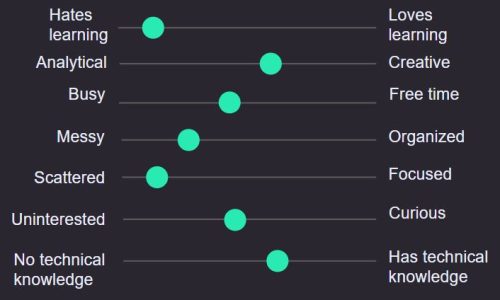
Tamir Shapira, 25 y.o, single

Tamir enrolled in school because “he has to,” not because it interests him particularly. He tends to put off all his assignments until the last minute, but somehow manages to get decent grades. He has a lot of thoughts and ideas, but he can’t organize them. He’s looking for something that will clear his head and balance his studies with his hobbies.

רוני פלדמן
persona bar2

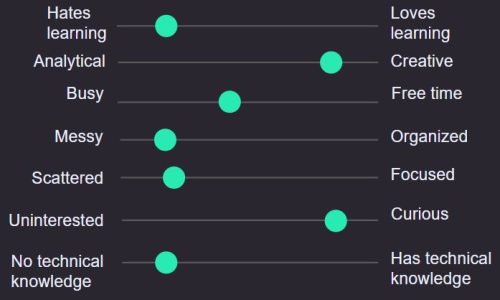
Roni Feldman, 17 y.o, single

Roni is a student at High School, majoring in art. This year she started studying for her matriculation exams and the amount of material and workload are starting to stress her out. The various ideas and tasks that need to be done are confusing her head and she loses concentration easily. She is looking for something that will bring order to her and allow her to balance the various materials in her studies easily.

Skeleton

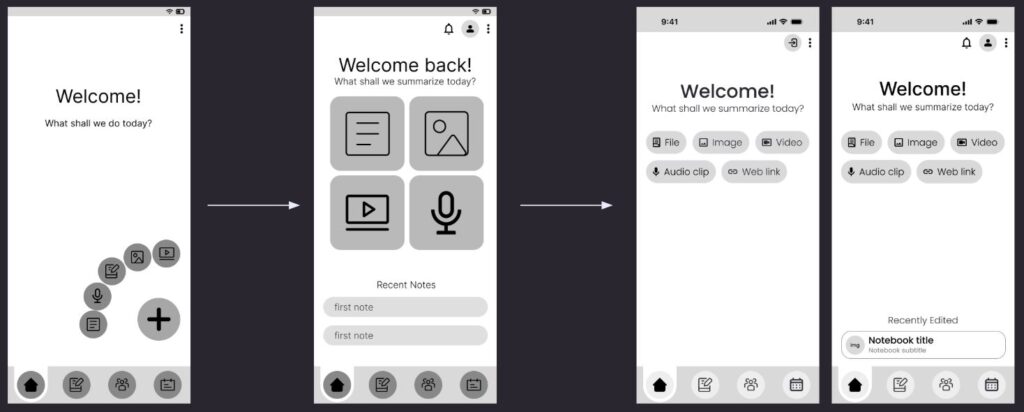
When designing the home page, we wanted to clearly showcase the main feature of the app, which is the AI based summeries. Looking at different inspirations and trying out different element placements, the final design was decided.

skeleton

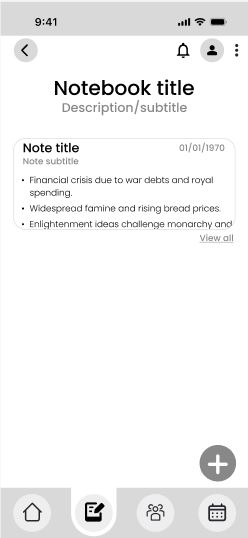
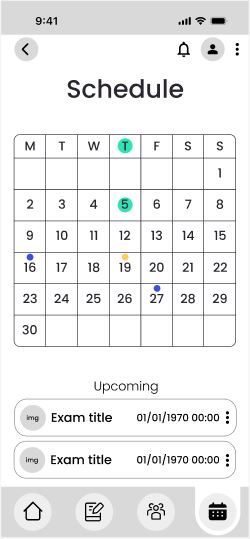
After establishing the base, a similer base with slight modifications was implimanted for the other pages.

app notebook
app schedule

Styleguide

Backrounds

The backrounds for different pages of the app were made using the gradiant of the brand colors in different positions along with amorphic waves meant to provide a visual representation of brainwaves.

colored app homescreens

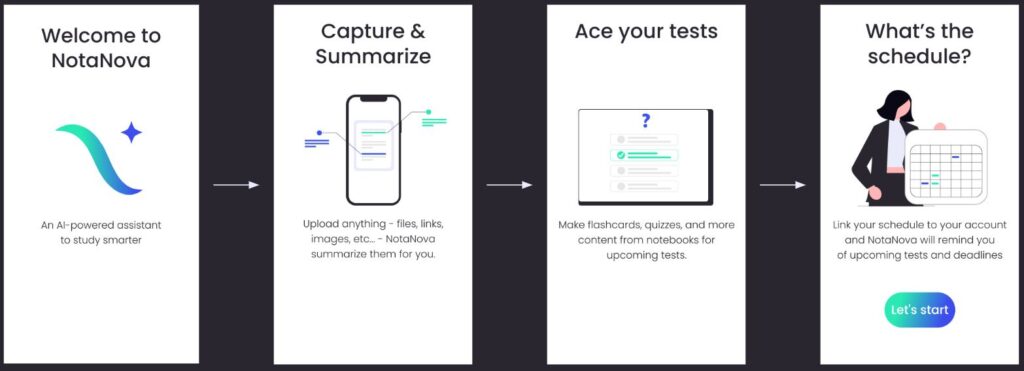
Onboarding

app onboarding

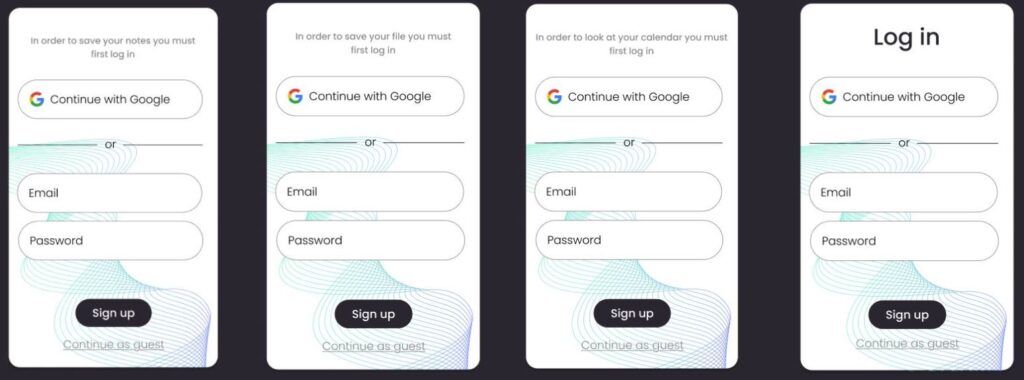
Pop-Up Screens

login app
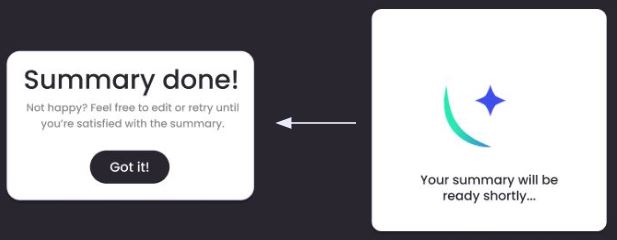
app loading
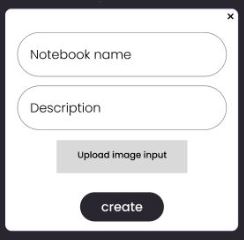
new app note
app summary

Buttons

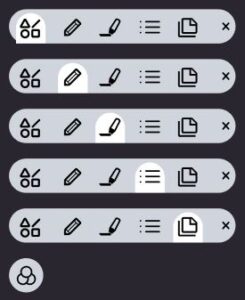
Edit Bar Buttons

edit bar

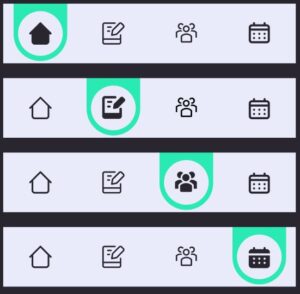
Navigation Buttons

lower bar

Default Buttons

app default buttons

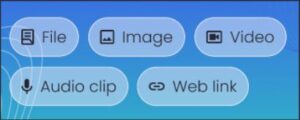
Upload Buttons (notebook page)

app notebook button

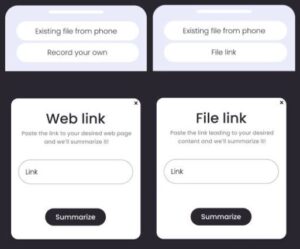
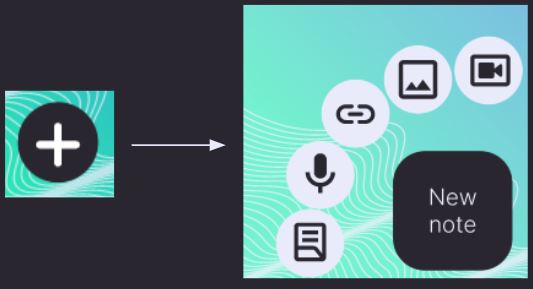
Upload Buttons (main page)

app upload buttons

Icons

app icons
dots

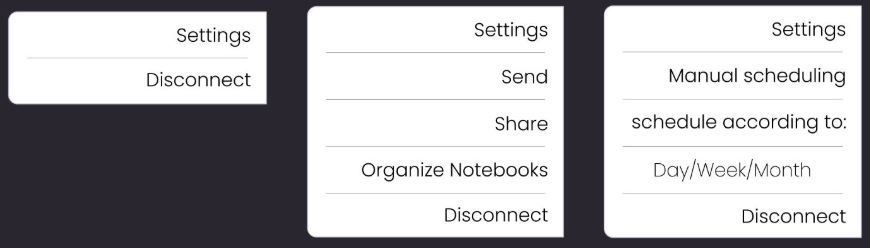
The options displayed when you click this icon depend on its location on the page. When it is at the top right of the page, various options relevant to the current page will appear. Settings and Disconnect will always be displayed.

When it is associated with a specific element, only options for that element will appear.

Examples For The Icon

Right side corner

app right corner

Specific element

app specific element

Additional animations

Two animations were made to add some motion to an otherwise still format. One was used in the onboarding portion and the other as a loading screen for the AI made summaries.

To get more detailes regarding the branding of the app, please refer to Branding category.